If you have feedback or ideas for new features for FirmPlus, please send those to Fi360Support@broadridge.com.
We would love to hear from you!
Passive & Target Date Fund Scoring
Funds that you include in Provider Comparison Reports now can show Passive Fund Scoring and Target Date Fund Scoring in the Performance Summary report section.
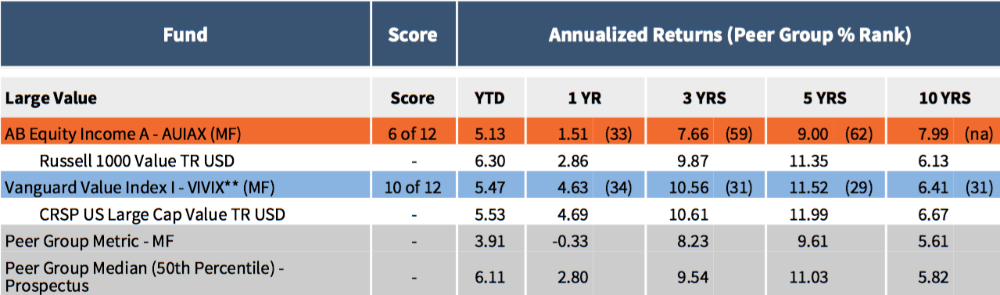
When generating a Provider Comparison Report include the new Performance Summary - Lineup Comparison (With Score) (New 2016) Report Section to use this new feature.
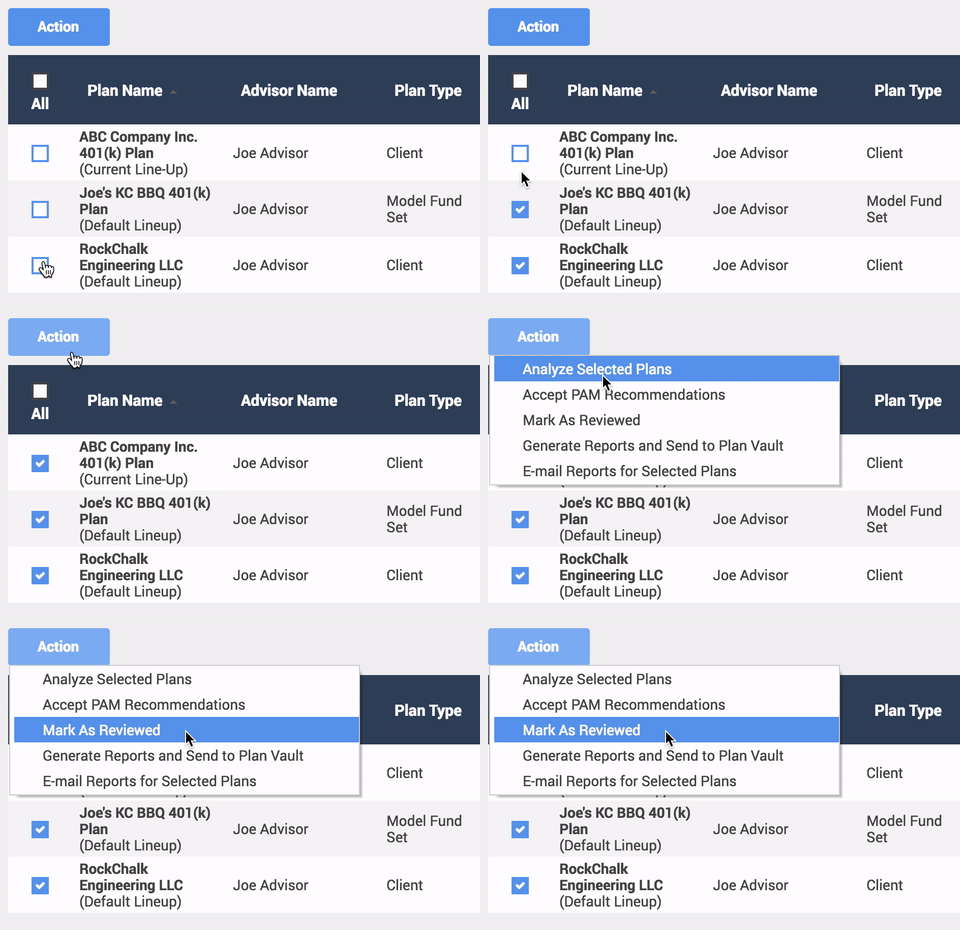
Plan Advice Manager - Batch "Mark Reviewed"
When using batch processing in PAM, you can now mark multiple Plan's analysis as "Reviewed". Now you no longer have to go into each individual Plan to complete this step!
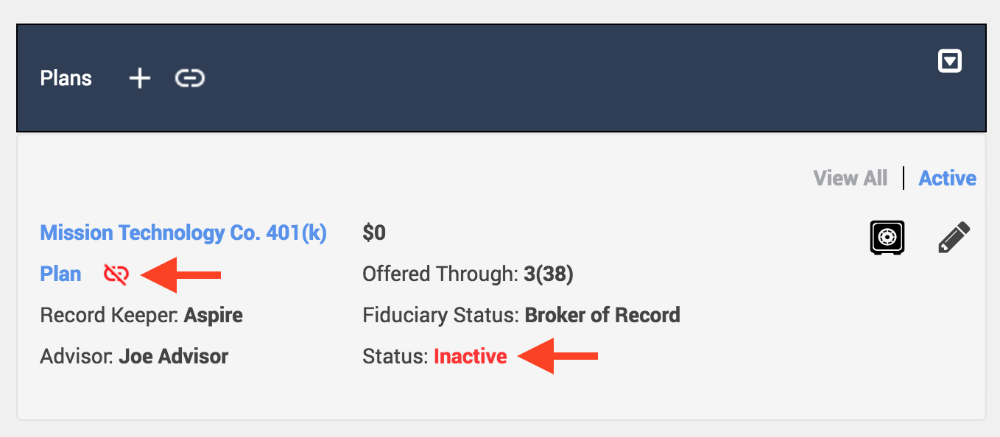
Unlink Inactive Plans from Customers / Prospects
Bug has been squashed that would not allow you to unlink Inactive Plans from Customers / Prospects. Unlink away!
Longer Customer & Prospect Names
Previously your Customer or Prospect name was limited to 40 characters. You can now enter as long of a Customer or Prospect Name as needed.

Fund Search - Passive Scoring
Fund Search now allows you to view Passive Criteria and Scores. Simply access Fund Search, and click the View drop-down and select Passive Criteria.
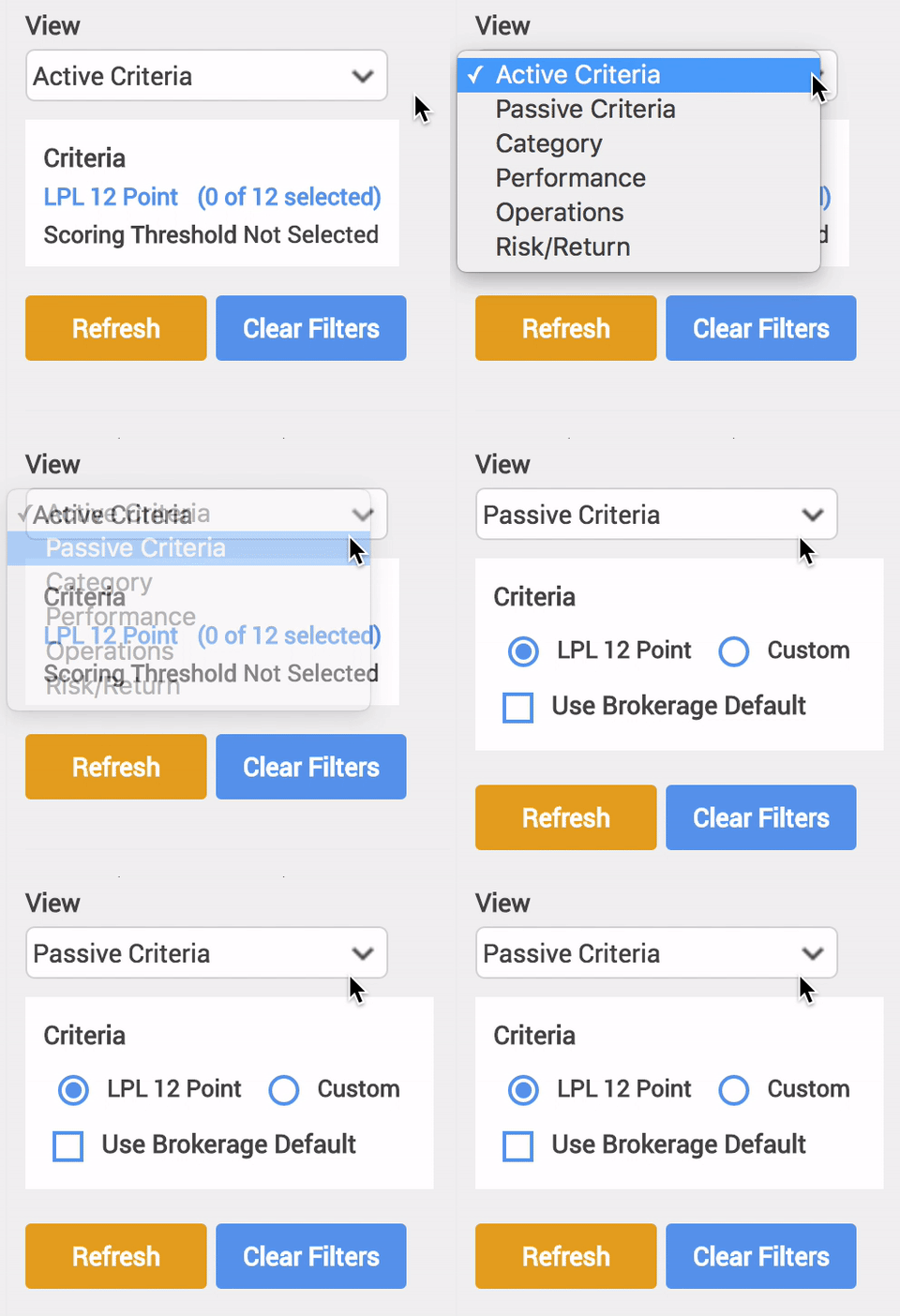
Walkthrough Video:
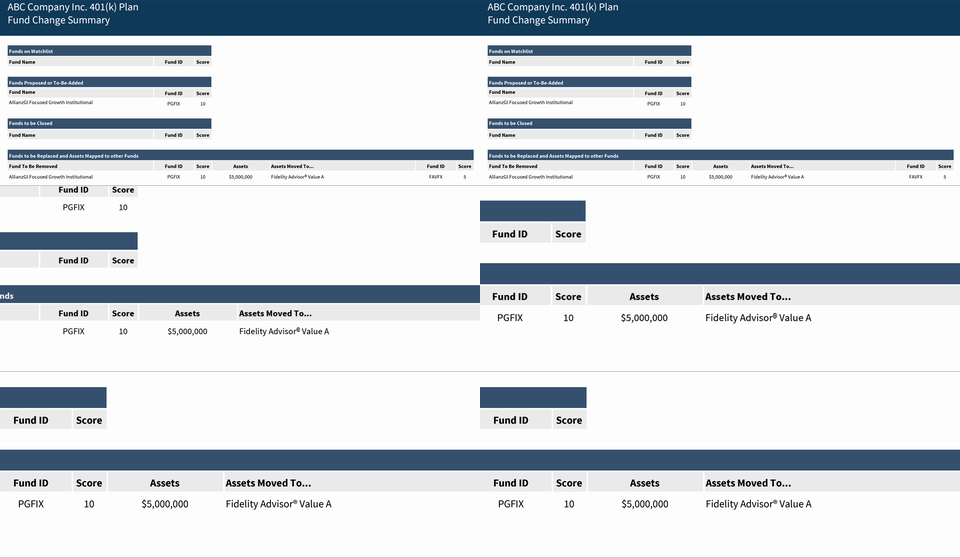
Fund Change Summary - Mapped Assets
The Fund Change Summary Report Section has been updated to more clearly display the assets that will be mapped from one fund to another.
Fund Closed Status
Now when searching for funds using Fund Search or Add Fund, you will see an indicator for funds that are Closed and Closed To New Investors. You can also now exclude these funds from your search results.


In addition we also will display the Closed and Closed To New Investors indicators on the Fund Lineup page.
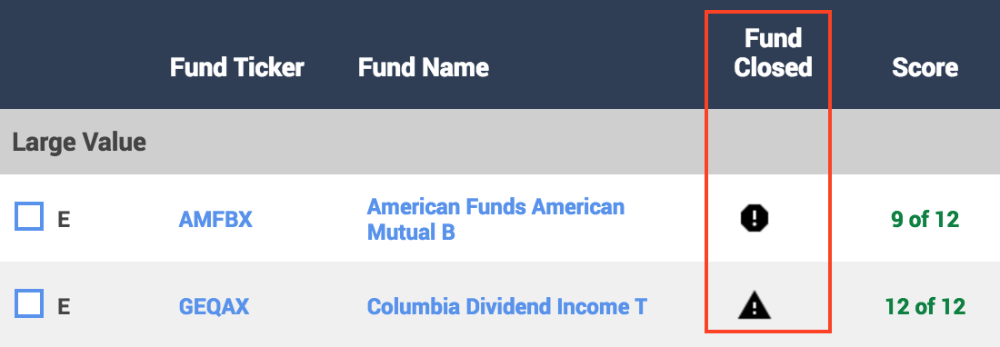
If you hover over the octagon Closed icon, or the triangle Closed to New Investors icon, you will see more information about that status. This works in Fund Search, Add Fund, and Fund Lineup.

Check with the Recordkeeper for the Plan if there are any questions about a fund's closed status.
Add New Contact in Plan
When adding Distribution Contacts or a Record Keeper Contact to a Plan, you now have the ability to add a new contact to your Contact Book directly from those pages.


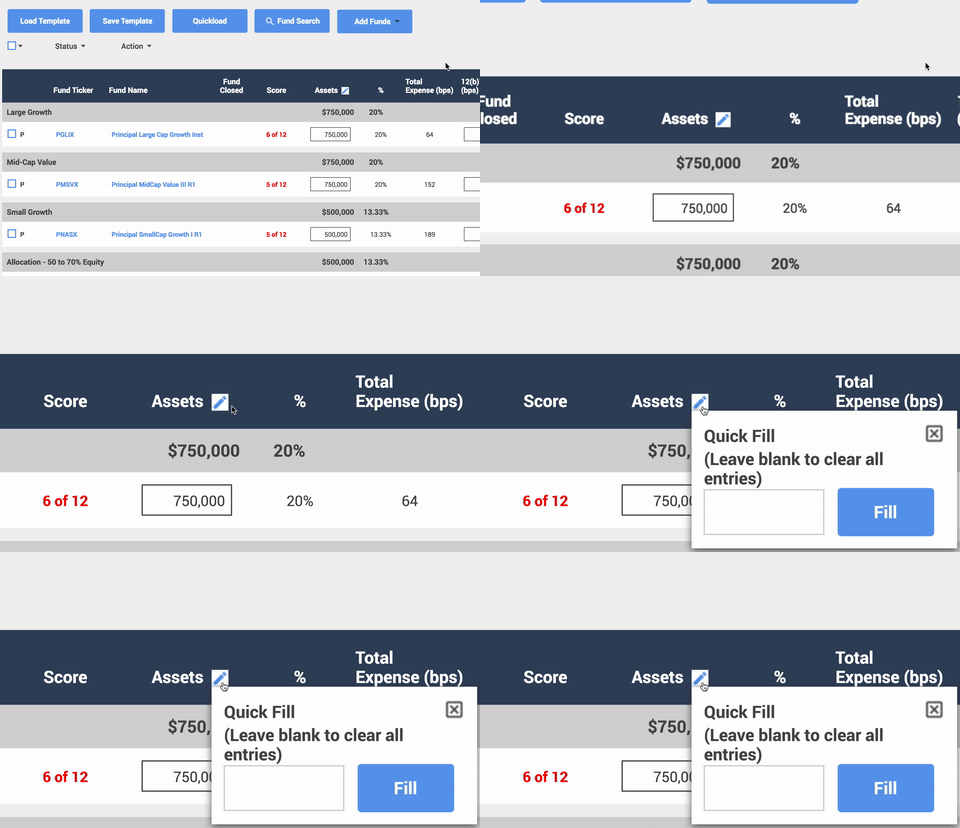
Quickly Add Assets / Clear Assets
You can now quickly add and remove assets on the Fund Lineup page.
Include Negative Fees
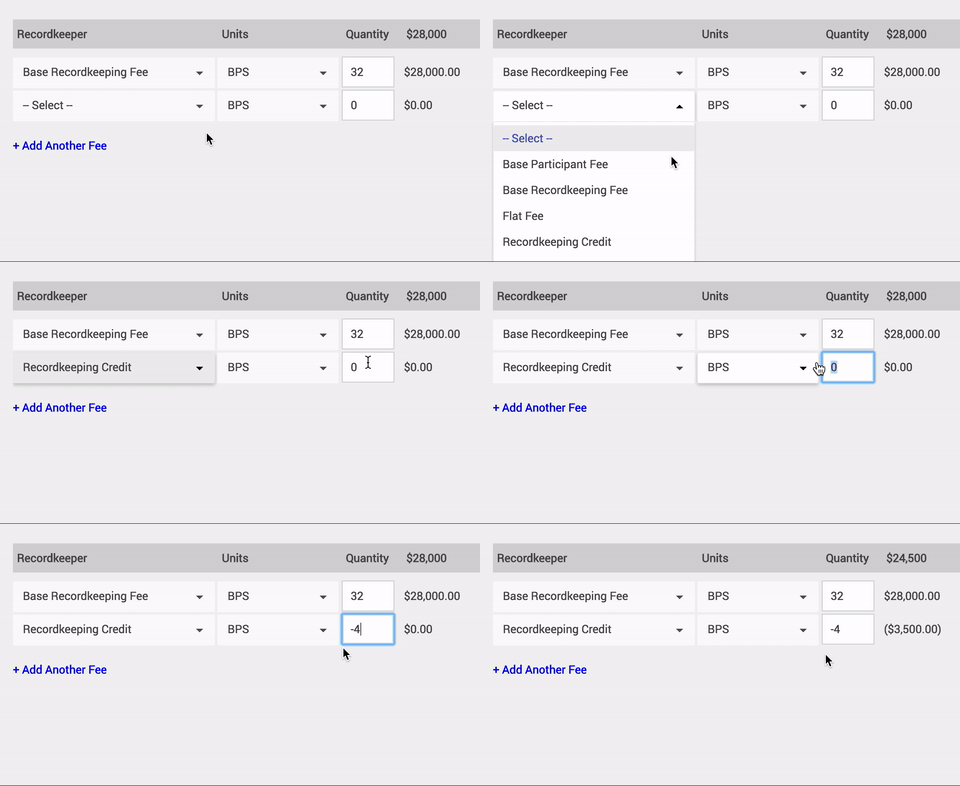
When entering fee information on the Fee Analysis & Comparison and Provider Comparison screens, you can now enter negative numbers for any Fee Type and Unit.