Customers and Prospects can have Plans and RFPs linked to them. Linking your existing Plans and RFPs to your Customer and Prospect contacts allows you to organize your clients more effectively and makes creating Activities for your clients more efficient.
Linking Plans or RFPs to Customers / Prospects
- Hover over the Companies dropdown in the navigation menu at the top of the screen, then click Customers or Prospects in the main navigation at the top of the screen.
- Click on the Company Name of the Customer or Prospect you wish to link a Plan to.
- Click the link icon in the Plans or RFPs section.
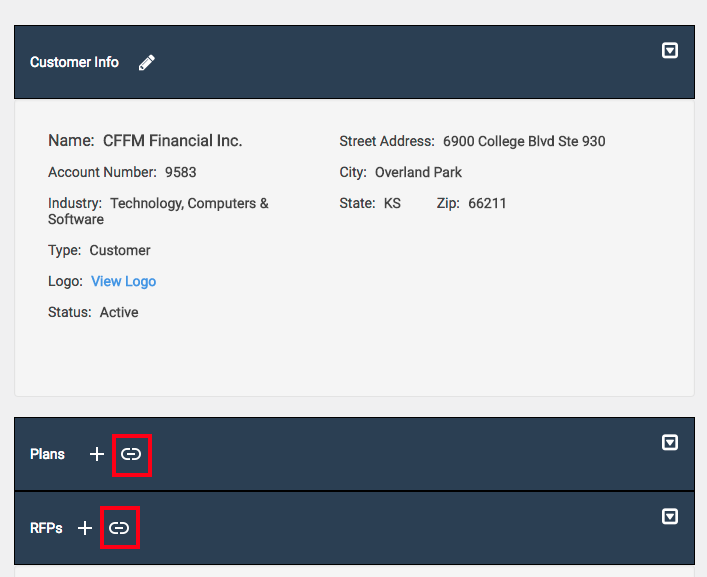
- Click on the Plan or RFP that you wish to link. The Plan or RFP will highlight.

- Click Save. The screen will refresh and your Plan or RFP will now be linked to your Customer / Prospect!
Unlinking Plans or RFPs from Customers / Prospects
- Hover over the Companies dropdown in the navigation menu at the top of the screen, then click Customers or Prospects.
- Click Customers or Prospects in the main navigation at the top of the screen.
- Click on the Company Name of the Customer or Prospect you wish to link a Plan to.
- Click the unlink icon in the Plans or RFPs section.

- Confirm you want to unlink the Plan or RFP. The Plan or RFP will be unlinked from your Customer/Prospect.